
TL;DR
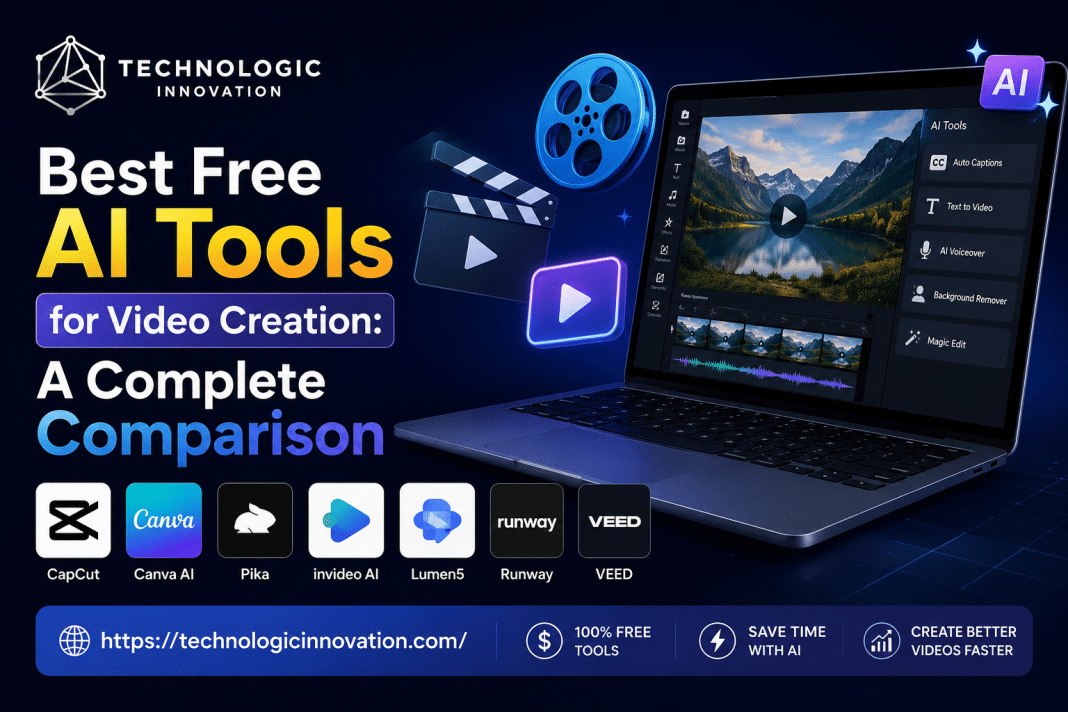
If you’re looking for the best free AI tools for video creation, start with:
- CapCut – Best overall free AI video editor
- Canva AI – Best for social media videos
- Pika – Best for AI-generated video clips
- Lumen5 – Best for turning blog posts into videos
- InVideo AI – Best for text-to-video creation
- Runway – Best for advanced AI video editing
- VEED – Best for captions and talking-head videos
For most beginners, CapCut and Canva offer the best balance of features, ease of use, and free access.
Best Free AI Tools for Video Creation
Creating professional videos once required expensive software, editing skills, and hours of work.
Today, AI can generate scripts, edit footage, create animations, add captions, remove backgrounds, and even produce entire videos from a simple text prompt.
This shift has changed content creation for marketers, business owners, educators, YouTubers, and social media creators.
If you’re searching for the best free AI tools for video creation, this guide will help you choose the right platform based on your goals, budget, and skill level.
You’ll learn:
- Which AI video tools are actually worth using
- The strengths and weaknesses of each platform
- Best tools for YouTube, TikTok, Instagram, and business videos
- Common mistakes to avoid
- Expert tips for better results
Let’s get started.
Why AI Video Tools Are Growing So Fast
AI removes many of the barriers that used to stop people from creating videos.
Instead of spending hours editing, you can now:
- Generate video scripts
- Create voiceovers
- Produce captions automatically
- Turn articles into videos
- Create animations
- Edit footage faster
For small businesses and solo creators, this saves both time and money.
The biggest advantage isn’t replacing creativity.
It’s eliminating repetitive work.
Quick Comparison Table
| Tool | Best For | Free Plan | Skill Level |
|---|---|---|---|
| CapCut | Social media videos | Yes | Beginner |
| Canva AI | Marketing videos | Yes | Beginner |
| Pika | AI-generated clips | Yes | Beginner |
| InVideo AI | Text-to-video | Yes | Beginner |
| Lumen5 | Blog-to-video | Yes | Beginner |
| Runway | Advanced AI editing | Limited Free Plan | Intermediate |
| VEED | Captions & talking-head videos | Yes | Beginner |
1. CapCut
Quick Answer
CapCut is currently one of the best free AI video editors for content creators.
Why Creators Love It
CapCut combines traditional editing tools with AI features.
You can:
- Generate captions automatically
- Remove backgrounds
- Enhance audio
- Create short-form content quickly
- Use AI effects and templates
Pros
- Free to use
- Beginner-friendly
- Excellent mobile app
- Fast social media editing
- AI-powered tools included
Cons
- Some advanced features require upgrades
- Less powerful than professional software
Best For
- TikTok creators
- Instagram Reels
- YouTube Shorts
- Small businesses
2. Canva AI
Best for Marketing and Social Media Videos
Many people think Canva is only for graphics.
That changed quickly after Canva added AI-powered video tools.
Key Features
- Text-to-video workflows
- AI image generation
- Voiceovers
- Templates
- Drag-and-drop editing
Real-World Use Case
A local restaurant can create promotional videos in minutes using Canva templates, AI-generated visuals, and automated branding.
Pros
- Extremely easy to use
- Huge template library
- Great for teams
- Free version available
Cons
- Less advanced editing
- Limited cinematic control
Best For
- Entrepreneurs
- Social media managers
- Content marketers
3. Pika
Best Free AI Video Generator
Pika has become popular because it creates videos from prompts.
You simply describe a scene.
The AI generates the footage.
Example Prompt
“Futuristic city at sunset with flying cars and neon lights.”
The platform creates a short animated video based on your description.
Pros
- Simple interface
- Impressive AI generation
- Fast results
- Creative possibilities
Cons
- Free credits can be limited
- Output quality varies
Best For
- Creative projects
- Storytelling
- Concept videos
- Visual experiments
4. InVideo AI
Best Text-to-Video Tool
InVideo AI focuses on turning written content into videos.
Provide a topic or script.
The AI handles:
- Scene creation
- Stock footage selection
- Voiceovers
- Editing
Why It Stands Out
Many creators use it to repurpose blog posts.
Instead of writing new content, they transform existing articles into videos.
Pros
- Fast workflow
- Good automation
- Large stock library
- Beginner-friendly
Cons
- Less creative control
- Some outputs need refinement
Best For
- Content marketing
- YouTube automation
- Educational content
5. Lumen5
Best for Turning Articles Into Videos
Lumen5 was one of the earliest AI video platforms.
Its strength remains content repurposing.
How It Works
- Paste a blog article.
- AI identifies key points.
- Scenes are generated automatically.
- Stock visuals are added.
- Video is ready for editing.
Practical Example
A 2,000-word blog post can become a 2-minute video in less than 15 minutes.
Pros
- Excellent blog conversion
- Time-saving workflow
- Marketing-friendly
Cons
- Limited creative flexibility
- Template-based design
Best For
- Bloggers
- SEO professionals
- Content agencies
6. Runway
Best Advanced AI Video Tool
Runway has become a leader in AI-powered video editing.
Many professional creators use it.
Standout Features
- Object removal
- Background replacement
- Motion tracking
- AI video generation
- Video expansion
Why Professionals Like It
Runway offers tools that previously required advanced editing software.
Pros
- Powerful AI features
- Professional quality
- Frequent updates
Cons
- Learning curve
- Free plan limitations
Best For
- Filmmakers
- Advanced creators
- Agencies
7. VEED
Best for Captions and Talking-Head Videos
VEED simplifies video editing.
Its automatic caption system is especially useful.
Features
- AI subtitles
- Script generation
- Voice cloning
- Screen recording
- Video editing
Why Captions Matter
Many users watch videos without sound.
Captions increase engagement and retention.
Pros
- Easy workflow
- Fast caption generation
- Browser-based
Cons
- Limited advanced editing
Best For
- Coaches
- Educators
- Podcasters
- Business owners
Which AI Video Tool Is Best for Different Needs?
| Goal | Recommended Tool |
|---|---|
| TikTok Videos | CapCut |
| YouTube Shorts | CapCut |
| Marketing Videos | Canva AI |
| Blog-to-Video | Lumen5 |
| Text-to-Video | InVideo AI |
| AI Generated Clips | Pika |
| Professional Editing | Runway |
| Caption Creation | VEED |
Expert Tips for Better AI Videos
Many creators blame AI tools when results look poor.
The real issue is often input quality.
Use Detailed Prompts
Instead of:
“Create a travel video.”
Try:
“Create a cinematic travel video showing mountain landscapes at sunrise.”
Edit AI Outputs
Never publish the first version.
Review:
- Timing
- Audio
- Visual consistency
- Branding
Add Human Creativity
AI speeds up production.
Your ideas make content unique.
Common Mistakes to Avoid
Using Generic Prompts
Weak prompts create weak videos.
Be specific.
Ignoring Branding
Add:
- Logos
- Colors
- Fonts
- Brand voice
Overusing AI Effects
Too many effects can make videos feel unnatural.
Keep things simple.
Skipping Captions
Captions improve accessibility and engagement.
Always include them.
Best Practices for AI Video Creation
Create a Clear Goal
Know whether the video aims to:
- Educate
- Entertain
- Sell
- Inform
Start With a Strong Hook
Capture attention within the first three seconds.
Optimize for Mobile
Most viewers watch on phones.
Use:
- Large text
- Clear visuals
- Short scenes
Test Different Formats
Experiment with:
- Shorts
- Reels
- Long-form videos
- Tutorials
Future of AI Video Creation
AI video tools continue improving every year.
Expect advances in:
- Realistic avatars
- Better voice generation
- Longer video creation
- Improved editing automation
- Personalized content generation
The creators who learn these tools today will gain a significant advantage tomorrow.
The goal isn’t replacing human creativity.
It’s amplifying it.
Frequently Asked Questions
What is the best free AI video generator?
Pika and InVideo AI are among the best free AI video generators available today.
Is there a completely free AI video editor?
CapCut offers one of the most generous free AI video editing experiences.
Which AI tool is best for YouTube videos?
CapCut, VEED, and InVideo AI are excellent choices for YouTube creators.
Can AI create videos from text?
Yes. Tools like InVideo AI and Pika can generate videos from text prompts.
Are free AI video tools good enough for businesses?
Yes. Many small businesses successfully use Canva AI, CapCut, and VEED for marketing content.
Related Reading
- Top AI Affiliate Programs in 2026: High Commission SaaS Tools for Passive Income
- Best Free Video Editing Tools for Low-End PCs (2026 Guide)
- Lumen5 Review 2025: Best AI Video Tool for SMBs or Just Hype?
Conclusion
The best free AI tools for video creation depend on your goals.
If you want an all-around solution, CapCut remains one of the strongest options available. For marketing content, Canva AI excels. For text-to-video workflows, InVideo AI and Lumen5 save significant time. If you want cutting-edge AI generation, Pika and Runway offer impressive capabilities.
The most successful creators don’t rely on a single platform.
They combine multiple tools to build a faster and smarter workflow.
Start with one tool, learn its strengths, and gradually expand your toolkit. The sooner you begin, the faster you’ll create high-quality videos that engage audiences and grow your brand.