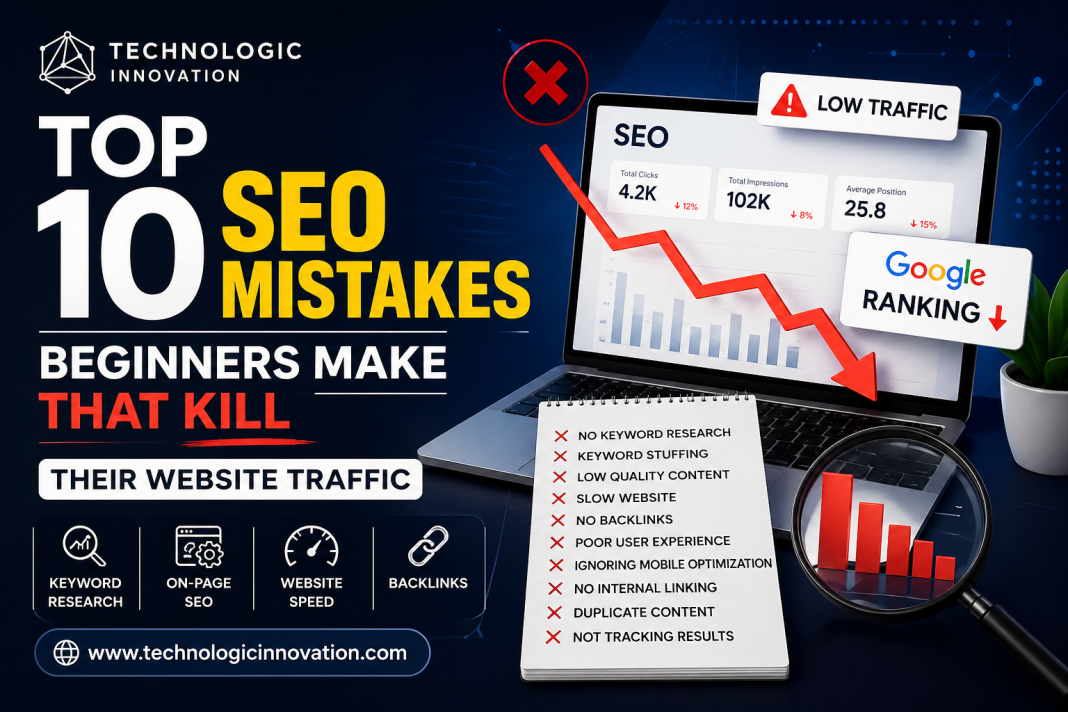

In the world of digital marketing, Search Engine Optimization (SEO) is essential to growing and sustaining a website’s visibility. However, many beginners make common mistakes that can significantly hurt their website’s ranking and traffic. These mistakes can be costly and frustrating, especially for those new to SEO.
In this article, we’ll explore the top 10 SEO mistakes beginners make that can kill website traffic. Whether you’re new to SEO or looking to refine your strategies, avoiding these mistakes will help you create a solid foundation for your website’s long-term success.
Table of Contents:
- Ignoring Keyword Research
- Overlooking On-Page SEO Optimization
- Neglecting Mobile Optimization
- Using Poor Quality Content
- Not Optimizing Site Speed
- Ignoring Backlinks and Link Building
- Using Duplicate Content
- Not Tracking Analytics and Performance
- Neglecting User Experience (UX)
- Keyword Stuffing
1. Ignoring Keyword Research
One of the biggest mistakes beginners make is skipping keyword research or choosing irrelevant keywords. Keywords are the foundation of SEO, as they’re the terms your target audience uses to find your content. Without choosing the right keywords, your content might not rank, no matter how well-written it is.
Why It Matters:
- Search intent: Choosing the right keywords aligns your content with what users are searching for.
- Competition: Without understanding keyword competition, you might target terms that are too competitive, making it hard to rank.
How to Fix It:
- Use tools like Google Keyword Planner, Ahrefs, or SEMrush to find relevant keywords.
- Focus on long-tail keywords that are less competitive but highly targeted.
- Regularly update your keyword strategy to keep up with search trends.
2. Overlooking On-Page SEO Optimization
On-page SEO involves optimizing individual web pages to rank higher and earn more relevant traffic. Beginners often overlook important on-page elements such as title tags, meta descriptions, headings, and image alt texts.
Why It Matters:
- Search engine crawlers: On-page SEO helps search engines understand the content of your page and index it correctly.
- User engagement: Well-optimized pages make it easier for users to navigate, increasing engagement.
How to Fix It:
- Ensure your title tags and meta descriptions are descriptive and contain your target keywords.
- Use H1 tags for the main title and H2 or H3 for subheadings to organize content.
- Optimize images by using relevant alt tags and reducing file sizes for faster loading times.
3. Neglecting Mobile Optimization
With more users browsing on mobile devices, Google has shifted to mobile-first indexing, meaning it ranks websites based on their mobile version first. If your website isn’t mobile-friendly, you could lose out on valuable traffic.
Why It Matters:
- Google’s algorithm: Websites that aren’t mobile-optimized will struggle to rank well.
- User experience: A poor mobile experience can increase bounce rates and reduce conversions.
How to Fix It:
- Ensure your website uses responsive design, meaning it adapts to all screen sizes.
- Use Google’s Mobile-Friendly Test tool to check if your site is optimized.
- Test your website on various mobile devices to ensure a seamless experience.
4. Using Poor Quality Content
Content is king in the world of SEO. Beginners often create content that is thin, generic, or irrelevant to their target audience. Content that lacks depth, originality, or usefulness will not engage visitors or perform well in search engines.
Why It Matters:
- User engagement: Quality content keeps visitors on your site, increasing the chances of conversions.
- Search engine ranking: Google rewards high-quality content that satisfies user intent.
How to Fix It:
- Write in-depth, well-researched content that provides value to your readers.
- Use engaging media such as images, videos, and infographics to make your content more interesting.
- Focus on addressing user intent rather than just trying to rank for keywords.
5. Not Optimizing Site Speed
A slow website is a surefire way to lose visitors and kill your SEO efforts. Page speed is a key ranking factor, and if your site takes too long to load, users will bounce, and your rankings will drop.
Why It Matters:
- User experience: A fast website leads to better engagement and lower bounce rates.
- SEO rankings: Google prioritizes fast-loading websites in search results.
How to Fix It:
- Compress images and reduce file sizes to improve load times.
- Use caching and content delivery networks (CDNs) to speed up site performance.
- Regularly monitor your website’s speed using tools like Google PageSpeed Insights.
6. Ignoring Backlinks and Link Building
Backlinks (links from other websites to your site) are one of the most important ranking factors in SEO. Beginners often underestimate the power of backlinks and fail to build them properly.
Why It Matters:
- Domain authority: Quality backlinks help increase your site’s authority and trustworthiness.
- Referral traffic: Backlinks from high-traffic websites bring valuable visitors to your site.
How to Fix It:
- Focus on acquiring backlinks from reputable sources in your niche.
- Use guest posting, influencer outreach, and content partnerships to build links.
- Avoid buying backlinks or using shady link-building tactics, as they can result in penalties.
7. Using Duplicate Content
Search engines don’t like duplicate content. If your website has similar content across different pages, it can confuse search engines and hurt your rankings. This mistake often happens when content is copied or repurposed without proper optimization.
Why It Matters:
- Search engine penalties: Duplicate content can lead to Google penalties, causing a drop in rankings.
- Confusion for search engines: Google may not know which page to rank, diluting your website’s authority.
How to Fix It:
- Use canonical tags to tell Google which page is the original if you must have similar content.
- Regularly check for duplicate content using tools like Copyscape or Siteliner.
- Write unique, original content for each page on your website.
8. Not Tracking Analytics and Performance
Many beginners don’t pay attention to their website’s analytics, which makes it difficult to measure success or identify areas for improvement. Without tracking performance, you can’t know if your SEO efforts are paying off.
Why It Matters:
- Data-driven decisions: Analytics allow you to see what’s working and what’s not, helping you refine your strategy.
- Improvement opportunities: Tracking performance lets you identify areas of your site that need optimization.
How to Fix It:
- Set up Google Analytics and Google Search Console to track website performance.
- Regularly monitor key metrics such as organic traffic, bounce rate, and conversion rate.
- Use data to adjust your SEO strategy and content.
9. Neglecting User Experience (UX)
SEO isn’t just about optimizing for search engines – it’s also about optimizing for your users. A website that is difficult to navigate, hard to read, or not user-friendly will push visitors away and hurt your SEO efforts.
Why It Matters:
- Higher engagement: A user-friendly website keeps visitors engaged longer, reducing bounce rates.
- Conversions: A good UX improves your chances of converting visitors into customers or subscribers.
How to Fix It:
- Simplify navigation and make your website easy to use.
- Use clear calls-to-action (CTAs) to guide users through your site.
- Ensure your website is visually appealing with well-organized content.
10. Keyword Stuffing
Keyword stuffing is the practice of overloading your content with keywords in an attempt to manipulate rankings. This outdated tactic can make your content sound unnatural and harm your SEO efforts.
Why It Matters:
- User experience: Keyword stuffing makes content difficult to read and less engaging.
- Penalties: Google can penalize websites that engage in keyword stuffing, lowering their rankings.
How to Fix It:
- Use keywords naturally within your content, focusing on user intent.
- Aim for a keyword density of around 1–2% to avoid over-optimization.
- Focus on related keywords and semantic phrases to improve relevance.
Frequently Asked Questions (FAQs)
1. How long does it take for SEO to work?
SEO is a long-term strategy, and it can take anywhere from a few weeks to several months to see significant results. The timeline depends on factors like competition, keyword difficulty, and the quality of your content.
2. Can I do SEO myself?
Yes, beginners can learn SEO and apply it to their websites. However, SEO requires continuous learning, experimentation, and adjustments. Using SEO tools and staying updated on best practices will help.
3. How do I know if my website is mobile-friendly?
You can use Google’s Mobile-Friendly Test tool to check if your website is mobile-optimized. The tool will provide suggestions if improvements are needed.
4. What’s the best way to build backlinks?
Focus on creating high-quality content that others will naturally want to link to. You can also reach out to influencers or websites in your niche for guest posts, collaborations, or mentions.
5. What is keyword density, and how do I use it?
Keyword density refers to the percentage of times a keyword appears in your content. Aim for a density of 1–2% and use variations to avoid keyword stuffing.
Related Reading
- Best Free AI Tools for SEO to Boost Marketing in 2026
- Free AI Tools for Content Creation: Revolutionize Your Marketing
- Best Free AI Marketing Tools for Social Media Growth
Conclusion
Avoiding common SEO mistakes is key to improving your website’s ranking and driving more organic traffic. By focusing on proper keyword research, on-page optimization, mobile-friendliness, and user experience, you can create a strong SEO foundation. Remember, SEO is an ongoing process that requires patience, but with the right strategies, your website can thrive.