
AI image generators exploded in popularity over the last two years. In 2026, they are faster, smarter, and far more realistic than before. You can now create product photos, YouTube thumbnails, concept art, logos, social media graphics, and even cinematic scenes in seconds.
The problem? Most “free” AI image generators are not truly free. Some limit daily credits. Others add watermarks or lock the best features behind subscriptions.
This guide cuts through the noise.
You’ll learn:
- Which free AI image generators are actually worth using
- The best tools for beginners, designers, marketers, and artists
- Hidden limitations most websites ignore
- How to choose the right AI image tool for your workflow
- Tips for getting better AI-generated images
We tested the latest platforms, compared free plans, and reviewed real-world performance to help you find the best option in 2026.
TL;DR
If you only need quick recommendations, start here:
| Use Case | Best Free AI Image Generator |
|---|---|
| Best Overall | Leonardo AI |
| Best for Beginners | Microsoft Designer |
| Best Image Quality | Google ImageFX |
| Best for Text in Images | Ideogram |
| Best Open-Source Option | Stable Diffusion |
| Best for Real-Time Creation | Krea AI |
| Best Unlimited Free Tool | Craiyon |
| Best for Designers | Canva AI |
| Best for Anime Art | Tensor Art |
Leonardo AI currently offers one of the strongest free tiers with daily tokens and advanced controls. Google ImageFX stands out for image realism and quality.
What Is an AI Image Generator?
An AI image generator creates images from text prompts using machine learning models.
You type something like:
“A futuristic cyberpunk city at sunset with neon lights”
The AI then creates a brand-new image based on your description.
Modern tools can generate:
- Photorealistic portraits
- Marketing graphics
- Anime artwork
- Product mockups
- Fantasy scenes
- 3D renders
- Social media content
- Illustrations
- Infographics
Most platforms now support:
- Text-to-image
- Image editing
- Background replacement
- Upscaling
- Style transfer
- Character consistency
How We Tested These AI Image Generators
We evaluated each tool using the same criteria:
Testing Factors
Image Quality
We checked realism, lighting, detail, and prompt accuracy.
Free Plan Limits
Some tools offer daily credits. Others limit resolution or speed.
Ease of Use
Beginner-friendly tools scored higher.
Speed
Fast generation matters for creators and marketers.
Commercial Usage
We reviewed licensing and commercial rights where possible.
Special Features
We looked at:
- Text rendering
- Editing tools
- Upscaling
- Style presets
- Real-time generation
We also tested prompts across:
- Portraits
- Product photography
- Landscapes
- Social media graphics
- Anime art
- Typography
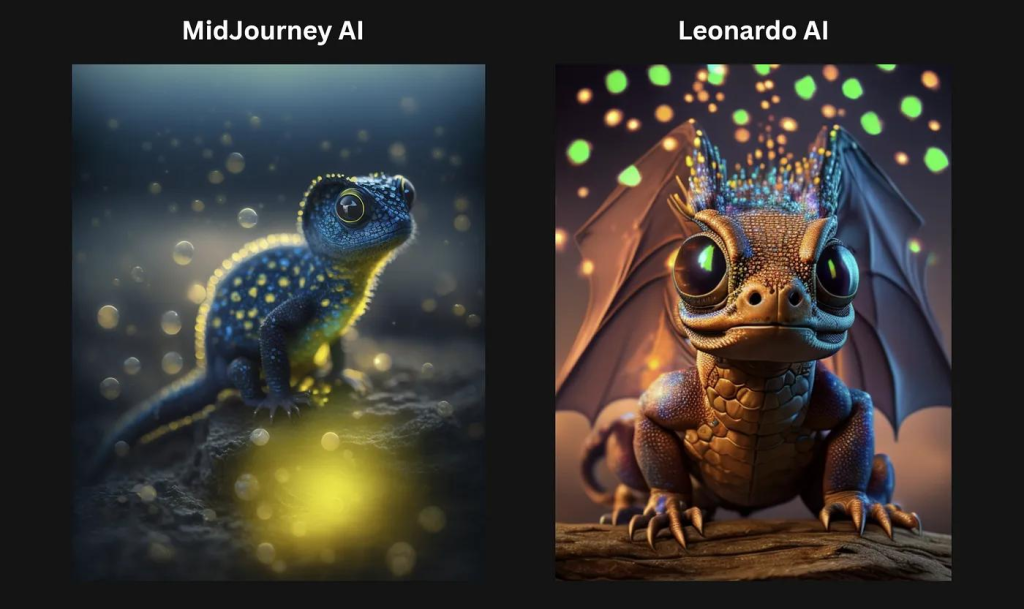
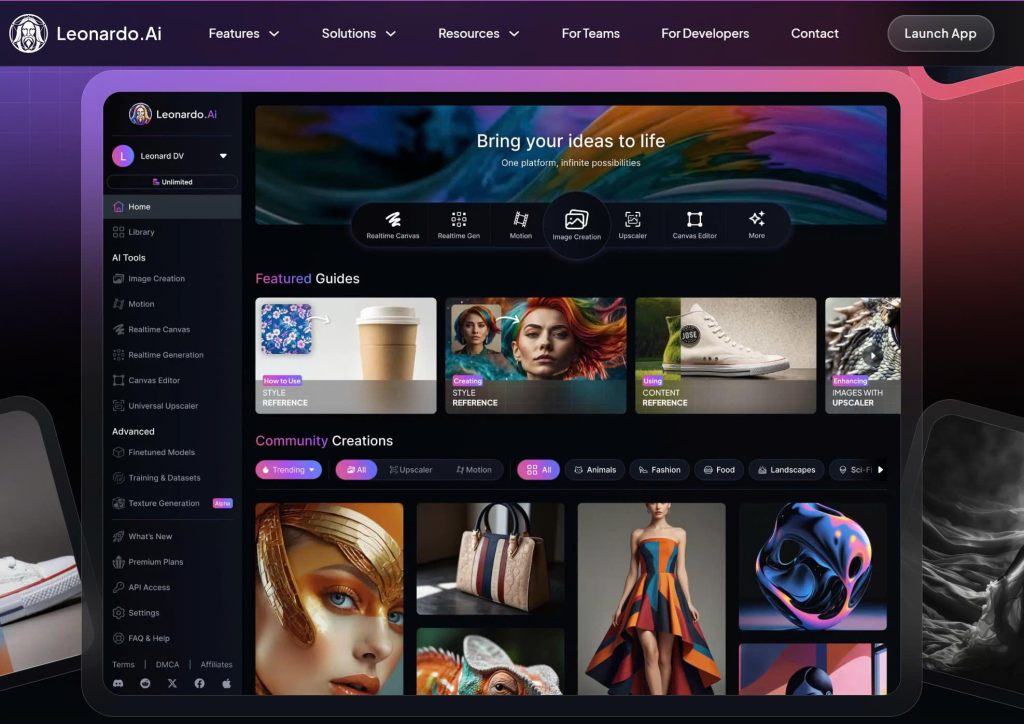
1. Leonardo AI — Best Overall Free AI Image Generator
Why Leonardo AI Stands Out
Leonardo AI delivers the best balance between quality, flexibility, and free usage.
Its free plan usually includes daily tokens, giving users enough generations for regular creative work. Many creators now use Leonardo for:
- Game assets
- YouTube thumbnails
- Character design
- Product mockups
- Concept art
Independent testing across multiple reviews ranked Leonardo among the best free options in 2026.
Best Features
- High-quality outputs
- Fine-tuned style controls
- Multiple AI models
- Canvas editing
- Prompt enhancement
- Fast rendering
Pros
- Excellent free tier
- Great image quality
- Strong community templates
- Beginner-friendly
Cons
- Token system can run out quickly
- Advanced settings may confuse beginners
Best For
Content creators, marketers, designers, and digital artists.
2. Google ImageFX — Best for Realistic Images
Google ImageFX became one of the biggest surprises of 2026.
Powered by Imagen models, it creates highly realistic images with excellent lighting and detail. Many reviewers now consider it one of the best free AI image generators available.
What Makes It Different
Google’s AI understands natural language extremely well.
You can write prompts casually instead of using complex formatting.
Example:
- “A cozy coffee shop during rain with warm cinematic lighting”
The results often look professional without heavy prompt engineering.
Best Features
- Realistic outputs
- Strong prompt understanding
- Excellent lighting
- Fast generation
- Good text rendering
Downsides
- Limited editing tools
- Availability varies by region
Best For
Photorealistic images and marketing visuals.
3. Microsoft Designer — Best for Beginners
Microsoft Designer remains one of the easiest AI image tools for beginners.
The interface feels simple and clean. You type a prompt, choose a style, and generate images instantly.
It runs on DALL·E-based technology and integrates well with Microsoft products.
Why Beginners Love It
- No complicated controls
- Easy prompt suggestions
- Fast results
- Good mobile experience
Pros
- Very beginner-friendly
- Fast setup
- Reliable outputs
- Free daily generations
Cons
- Limited customization
- Less control than advanced tools
Best For
Students, bloggers, social media users, and casual creators.
4. Ideogram — Best for Text Inside Images
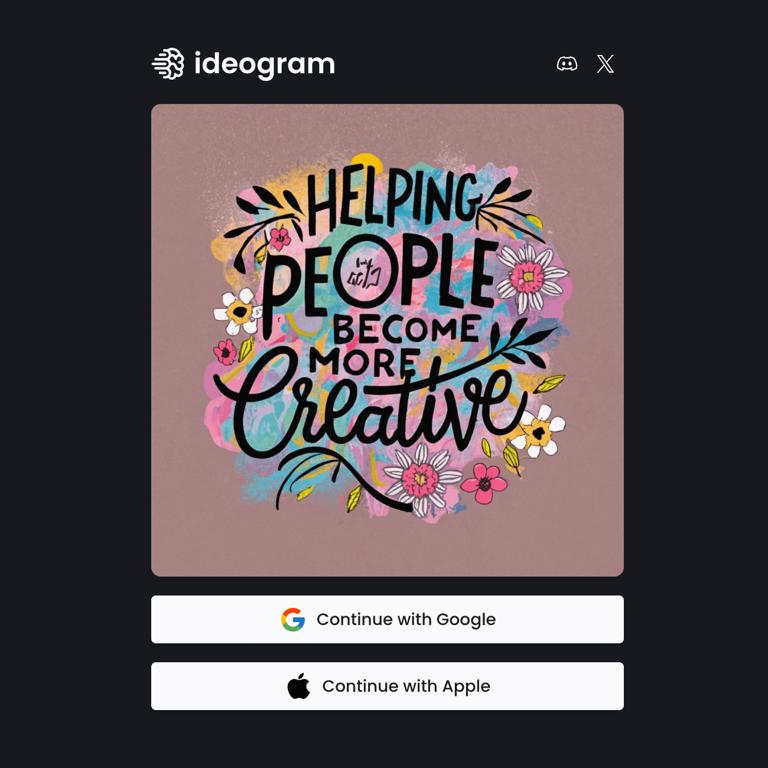
Most AI image generators still struggle with readable text.
Ideogram solves this better than almost every competitor.
If you need:
- Posters
- Ads
- T-shirt designs
- YouTube thumbnails
- Social media graphics
Ideogram is one of the strongest free choices.
Best Features
- Accurate typography
- Strong poster design
- Stylish layouts
- Clean interface
Weaknesses
- Photorealism is weaker than Google ImageFX
- Fewer advanced editing tools
Best For
Graphic designers and marketers.
5. Stable Diffusion — Best Open-Source AI Image Generator
Stable Diffusion changed the AI image industry.
Unlike many closed platforms, it is open-source. That means users can run it locally and customize almost everything.
Advanced creators use Stable Diffusion for:
- Character consistency
- Custom AI models
- Product photography
- Animation workflows
- High-end digital art
Many expert users still consider it the best option for maximum control.
Advantages
- Full customization
- No censorship on local installs
- Huge model ecosystem
- Works offline
Challenges
- Harder to learn
- Requires stronger hardware
- Setup can be technical
Best For
Advanced users and developers.
6. Canva AI — Best for Content Creators
Canva AI works well for people who already use Canva for design work.
You can generate images directly inside presentations, social posts, ads, and documents.
This saves time because you do not need multiple tools.
Key Benefits
- Built into Canva
- Easy editing workflow
- Great templates
- Fast content creation
Best Use Cases
- Instagram graphics
- Blog images
- Business presentations
- Marketing materials
Limitation
The free plan is more limited than dedicated AI platforms.
7. Krea AI — Best for Real-Time Generation
Krea AI introduced real-time AI image generation workflows.
Instead of waiting for completed renders, you can watch the image evolve live.
This feels more interactive and creative.
Why Creators Like Krea
- Real-time previews
- Fast iteration
- Strong enhancement tools
- Good for experimentation
Best For
Creative brainstorming and visual exploration.
8. Craiyon — Best Unlimited Free AI Image Generator
Craiyon remains one of the few tools offering unlimited free generations.
The image quality is lower than premium platforms, but it still works for:
- Fun projects
- Memes
- Quick concepts
- Experimental ideas
Pros
- Completely free
- No signup required
- Unlimited use
Cons
- Lower image quality
- Slower generation
- Less realistic results
Best For
Casual users and experimentation.
Comparison Table: Best Free AI Image Generators 2026
| Tool | Best For | Free Plan Quality | Ease of Use | Commercial Use |
|---|---|---|---|---|
| Leonardo AI | Overall performance | Excellent | Easy | Usually allowed |
| Google ImageFX | Realism | Excellent | Very Easy | Check terms |
| Microsoft Designer | Beginners | Very Good | Very Easy | Limited |
| Ideogram | Text graphics | Excellent | Easy | Allowed |
| Stable Diffusion | Customization | Excellent | Advanced | Flexible |
| Canva AI | Marketing content | Good | Very Easy | Allowed |
| Krea AI | Real-time creation | Very Good | Moderate | Limited |
| Craiyon | Unlimited free use | Basic | Very Easy | Limited |
Free vs Paid AI Image Generators
Many free tools now compete with paid platforms surprisingly well.
Still, paid plans usually offer:
- Faster generation
- Higher resolutions
- Better privacy
- Commercial licensing
- Advanced editing
- More daily credits
When Free Tools Are Enough
Free AI image generators work great for:
- Social media content
- Blog graphics
- Practice
- Thumbnails
- Personal projects
When Paid Plans Make Sense
Upgrade if you:
- Create content daily
- Need consistent branding
- Sell client work
- Require high-resolution outputs
Expert Tips for Better AI Images
1. Be Specific With Prompts
Bad prompt:
“A dog”
Better prompt:
“Golden retriever sitting near a campfire during sunset, cinematic lighting”
Details improve quality dramatically.
2. Use Lighting Keywords
Words like:
- cinematic lighting
- soft shadows
- golden hour
- studio photography
often improve realism.
3. Add Camera Styles
Example:
- “shot on DSLR”
- “35mm photography”
- “ultra realistic”
This helps many AI models.
4. Generate Multiple Versions
The first image is rarely the best.
Professional creators often generate 10–20 versions before choosing.
5. Edit After Generation
Use:
- Canva
- Photoshop
- Lightroom
to polish AI-generated images.
Common Mistakes to Avoid
Using Vague Prompts
Short prompts produce generic results.
Ignoring Licensing Rules
Always check commercial usage rights before using AI images for business.
Overusing AI Art Styles
Many creators now use identical “AI-looking” aesthetics.
Try adding unique visual direction.
Relying on One Tool Only
Different AI generators excel at different tasks.
Many professionals combine:
- Ideogram for text
- Leonardo for art
- Google ImageFX for realism
Are Free AI Image Generators Safe?
Most major platforms are reasonably safe.
However, consider:
- Data privacy
- Copyright policies
- Commercial licensing
- AI-generated misinformation
Researchers continue improving AI image detection systems because generated images are becoming harder to identify.
Avoid uploading sensitive personal information to unknown AI tools.
Future of AI Image Generation in 2026
AI image generators are improving rapidly.
Major trends include:
- Real-time generation
- Better character consistency
- AI video integration
- Improved typography
- 4K outputs
- Multi-image storytelling
Google, Adobe, Microsoft, and open-source communities are all pushing image quality higher.
The gap between free and paid tools is also shrinking.
FAQ
Q:01 What is the best free AI image generator in 2026?
Leonardo AI currently offers one of the best free plans with strong image quality and flexible controls.
Q:02 Which AI image generator is best for realistic photos?
Google ImageFX produces some of the most realistic AI-generated images available today.
Q:03 Can I use AI-generated images commercially?
Many platforms allow commercial use, but policies vary. Always review licensing terms before publishing.
Q:04 Is Stable Diffusion still worth using in 2026?
Yes. Stable Diffusion remains one of the best options for advanced customization and local generation.
Q:05 Which AI image generator is easiest for beginners?
Microsoft Designer is one of the easiest tools for new users.
Related Reading
- Best AI Tools for Email Writing in 2026
- Top AI Apps for Android Users 2026
- AI Content Writing Tools: Do They Really Help You Rank on Google?
Conclusion
- The best free AI image generator depends on your goals.
- If you want the best overall balance, Leonardo AI is hard to beat.
- If realism matters most, try Google ImageFX.
- For typography and posters, Ideogram remains excellent.
- And if you want full control, Stable Diffusion still leads the open-source world.
- The good news is that free AI image generators in 2026 are better than ever. You no longer need expensive software to create professional-looking visuals.
- Start with one tool. Test different prompts. Learn what works.
- The quality jump between beginner and expert users often comes down to creativity, not software.