
Everyone keeps telling small business owners to “use AI,” but almost nobody explains what that actually looks like day to day. You open a blog post expecting clarity and instead get a wall of 30 app names with no direction. That’s not a starting point; that’s noise.
So let’s skip the noise and talk about how to actually begin.
Don’t Pick a Tool First. Pick a Problem First
The biggest mistake business owners make is downloading an AI app because it’s trending, then trying to force it into their business. That’s backwards.
Instead, look at your week and find the task that:
- Takes up hours but doesn’t make you money directly
- Feels repetitive or boring
- Could be done by someone else without much training
Common culprits include answering the same customer messages, writing product listings, tracking expenses, or managing appointment bookings. Whichever one drains you the most, that’s your starting point, not whatever tool is going viral this month.
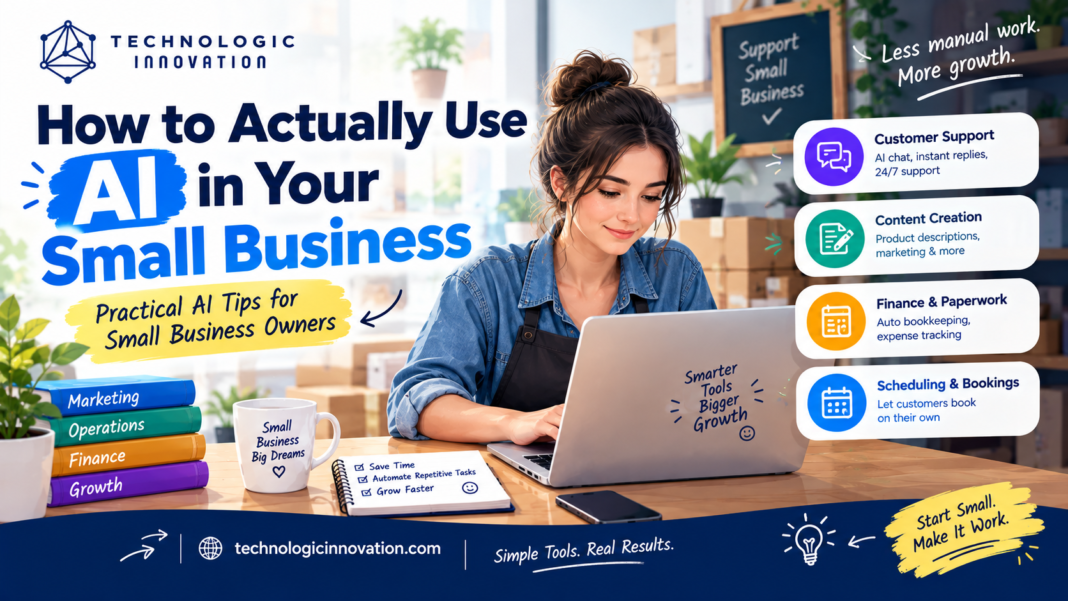
Four Places Where AI Genuinely Helps Small Businesses
1. Talking to Customers
A large chunk of customer questions repeat themselves: pricing, hours, availability, return policy. An AI-powered chat widget on your website or social page can answer these instantly, day or night, without you lifting a finger.
2. Creating Content
Product descriptions, captions, and marketing emails are necessary but time-consuming. AI writing tools give you a solid first draft in seconds. You still edit it to sound like you, but you’re no longer starting from a blank page every time.
3. Handling Money and Paperwork
Modern bookkeeping tools can automatically sort expenses, flag unusual transactions, and generate reports. This is tedious work that most owners hate doing anyway, which makes it an ideal task to hand over early.
4. Managing Bookings and Schedules
If your day involves texting back and forth to confirm appointments or shifts, an AI scheduling assistant removes that entirely by letting people book themselves within rules you set.
Why Most Business Owners Give Up on AI
They try to implement everything at once: a chatbot, a writing tool, an accounting app, a scheduler — all in the same week. It’s too much change at once, so they abandon all of it within a month.
The better approach: choose one tool, use it for 30 days, and only then consider adding a second one. Real, lasting adoption happens slowly, not overnight.
A Quick Test Before You Subscribe to Anything
Before paying for any AI tool, ask:
- Will this save me a few real hours every week?
- Can I set it up myself, without technical help?
- Is it cheaper than hiring someone part-time for the same job?
If you answer yes to all three, it’s probably worth trying. If not, walk away — regardless of how popular it is online.
Q:6. Why do so many small businesses fail at adopting AI?
Because they try to change everything at once, slow, single-tool adoption works far better than trying to overhaul the whole business in one go.
Conclusion
Using AI in your small business isn’t about chasing trends or installing every tool available; it’s about identifying the one task that wastes your time and letting a simple, affordable tool take over. Start with one problem, give it a real month, and measure whether it actually helped. That’s how small businesses are making AI work in practice: one clear decision at a time, not a complicated overhaul.
Related Reading
- Best AI Note-Taking Apps for Students in 2026
- How to Write Better ChatGPT Prompts (A Simple Guide)
- Is ChatGPT Down? How to Check Status and Fix Common Issues
Frequently Asked Questions
Q:1. Which AI tool should a small business try first?
Start with whichever task costs you the most time weekly: usually customer replies or content writing. Both have simple, low-setup AI tools available.
Q:2. Is AI too complicated for a non-technical business owner?
No. Most modern tools are built for beginners: sign up, connect your account, and you’re using it the same day, no coding required.
Q:3. What’s a realistic budget to start using AI in a small business?
Many tools have free versions, and paid plans often start below $20 a month. You don’t need a large budget to see results.
Q:4. Can AI tools replace employees?
Rarely. They’re best at removing repetitive tasks, which actually gives your staff more time for work that needs a human touch, like sales or relationship-building.
Q:5. How can I tell if an AI tool is actually helping?
Pick one measurable thing time saved, faster replies, or more bookings and track it for a month. If it improves, the tool is earning its place.