
Introduction
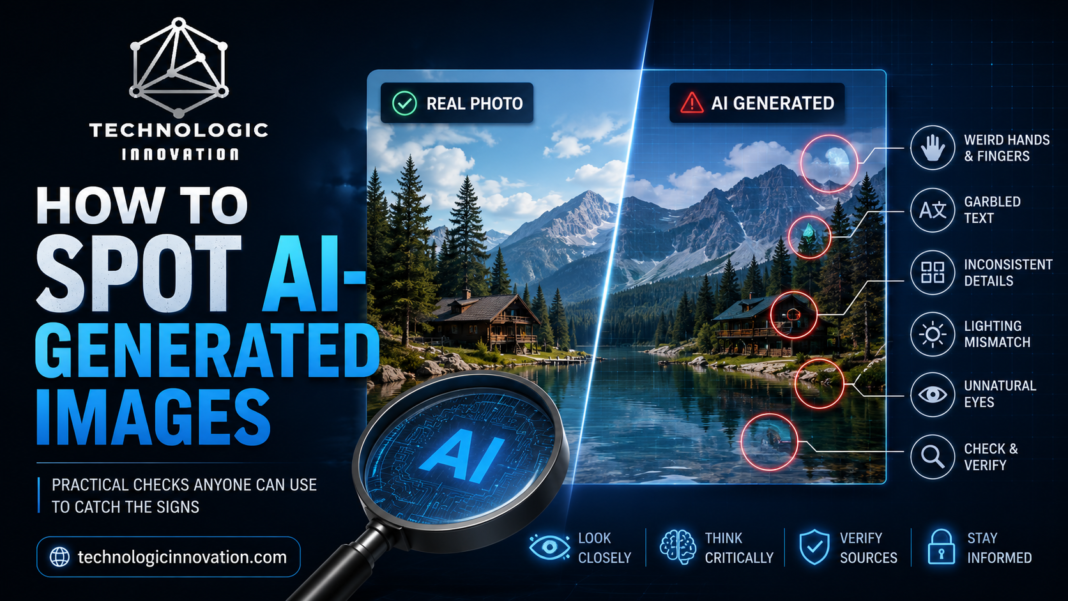
A few years ago, spotting an AI-generated image was easy: strange extra fingers, warped text, faces that looked slightly off. AI image tools have improved dramatically since then, and some images are now genuinely difficult to tell apart from real photos at a glance. Still, there are practical checks anyone can use to catch the signs that give AI images away.
Why This Matters More Now
AI-generated images show up everywhere now: on social media, in news thumbnails, in product listings, even in fake “photos” used to spread misinformation. Being able to spot the signs, even imperfectly, helps you avoid being misled by content that isn’t what it claims to be.
Look at the Hands and Fingers
This remains one of the more reliable signs, even with newer AI models. Look closely at hands for extra or missing fingers, fingers that bend at unnatural angles, or hands that seem to merge into objects they’re holding. AI models have improved here, but hands remain a genuinely difficult detail for most image generators to get consistently right.
Check Text Within the Image
Suppose there’s any text visible in the image a sign, a label, a book cover zoom in closely. AI-generated text often comes out as garbled, nonsensical characters, or letters that look almost right but aren’t actual words. This remains one of the most consistent giveaways across most AI image generators.
Examine Background Details
AI images often struggle with background consistency, especially in busy scenes. Look for patterns that repeat unnaturally, objects that blend into each other without clear edges, or background elements that don’t quite make physical sense, like a chair leg that seems to disappear into the floor.
Look at Symmetry and Repetition
AI-generated images sometimes show unnatural symmetry, or repeated patterns that a real photo wouldn’t have, like identical-looking leaves on a tree that are just slightly too similar to each other, or jewelry and clothing patterns that repeat in ways that feel too perfect.
Check Lighting and Shadows
Real photos have consistent, physically logical lighting, with shadows falling in a direction that matches the light source. AI images sometimes get this wrong in subtle ways: shadows that fall in inconsistent directions, or lighting on a subject that doesn’t match the lighting in the background.
Zoom Into Eyes and Teeth
Eyes can be a subtle tell; look for reflections that don’t match (both eyes should generally reflect light sources consistently), or pupils that seem slightly asymmetrical in an unnatural way. Teeth are another common area where AI images can look slightly too uniform or oddly shaped compared to real dental variation.
Use Reverse Image Search
If you suspect an image might be AI-generated or manipulated, running it through Google Images or TinEye’s reverse image search can sometimes reveal the source, or show if it’s appeared in contexts suggesting it’s synthetic content.
Try AI Image Detection Tools
Several tools now analyze images specifically for signs of AI generation, checking for patterns in pixel-level data that aren’t visible to the naked eye. It’s worth knowing upfront that these tools aren’t fully reliable and can produce both false positives and false negatives, so treat their results as one data point rather than a definitive answer.
Consider the Context
Sometimes the biggest clue isn’t in the image itself; it’s in where and how it’s being shared. Ask whether the image seems too perfect or dramatic for the context, whether the source account has a history of sharing genuine content, and whether the claim attached to the image makes sense given what you can verify elsewhere.
Why No Method Is Foolproof
It’s worth being honest that AI image detection, whether by eye or by tool, isn’t perfectly reliable, and it’s getting harder as models improve. Newer AI image generators specifically address earlier weaknesses like hand rendering and text generation, meaning some of these tricks will likely become less reliable over time. Combining several checks rather than relying on just one gives you a better overall read than any single method alone.
Conclusion
Spotting AI-generated images comes down to checking a combination of details, hands, text, background consistency, lighting, and reflections, rather than relying on one single obvious sign. As AI image tools continue improving, these checks won’t always be foolproof, but combining several of them, along with a bit of healthy skepticism about context, remains the most practical way to catch synthetic images before taking them at face value.
Related Reading
- Best AI Coding Assistants in 2026: GitHub Copilot vs Claude Code vs Cursor
- AI Detector Tools Tested: Which Ones Actually Work in 2026?
- Top 10 Third-Party Risk Management (TPRM) Tools for Enterprises in 2026
FAQs
Q:01. What’s the most reliable sign that an image is AI-generated? No single sign is fully reliable, but checking hands, text within the image, and background consistency together tends to catch more AI-generated images than relying on just one detail.
Q:02. Are AI image detection tools accurate? Not fully. They can produce false positives and false negatives, so they’re best used as one additional check rather than a definitive answer on their own.
Q:03. Why do AI images often get hands wrong? Hands involve complex, varied shapes and positions that are genuinely difficult for AI models to render consistently, making them one of the more persistent challenges in image generation.
Q:04. Can reverse image search help identify AI-generated photos? Yes, it can sometimes reveal the source of an image or show if it’s appeared in contexts suggesting it’s synthetic, though it won’t catch every AI-generated image.
Q:05. Will it get harder to spot AI-generated images over time? Yes, as AI image generators improve and specifically address earlier weaknesses like hands and text, some current detection methods will likely become less reliable.