
Introduction
Note-taking used to mean scribbling in a notebook and hoping you could read your own handwriting later, or typing frantically to keep up with a lecture. AI-powered note-taking apps have changed that entirely, transcribing lectures automatically, organizing scattered notes into something searchable, and even generating summaries and study questions from what you’ve written. Here’s a look at the AI note-taking apps genuinely worth using as a student in 2026.
What AI Note-Taking Apps Actually Do Differently
Traditional note apps just store what you type. AI-powered ones go further: transcribing spoken lectures in real time, automatically organizing notes by topic, generating summaries of long content, and in some cases, creating flashcards or practice questions directly from your notes. This shifts note-taking from pure data entry into something closer to an active study tool.
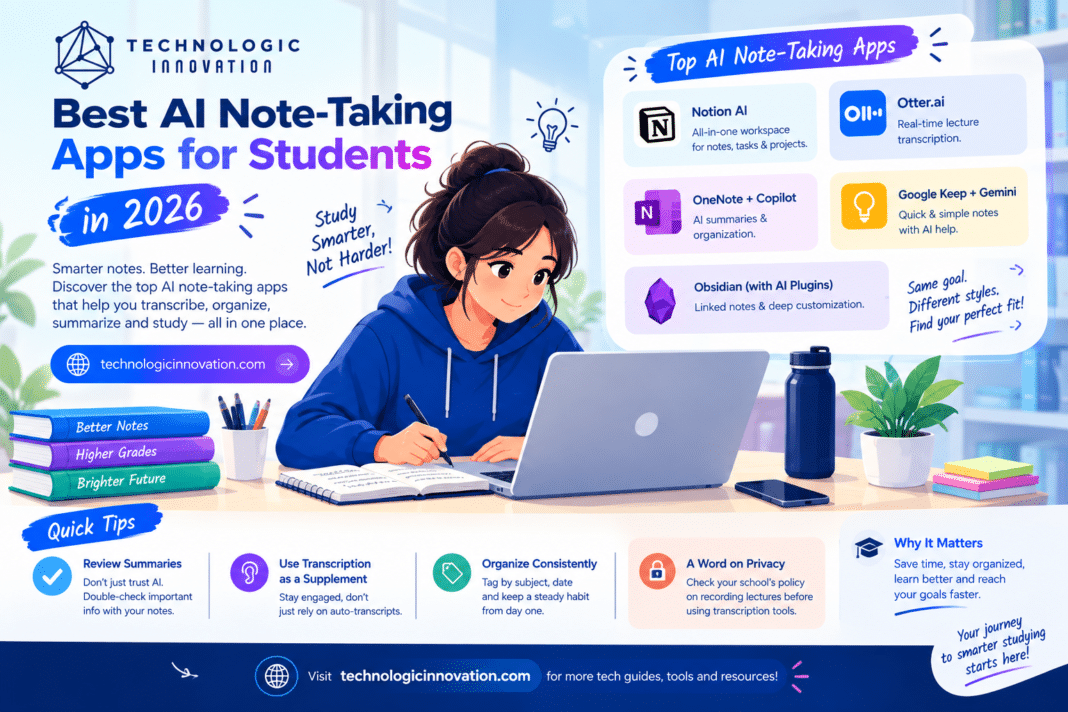
Notion AI
Best for: Students who want an all-in-one workspace for notes, tasks, and projects.
Notion’s AI features build on its already popular note and project management platform, letting students summarize long notes, generate outlines from a few bullet points, and organize scattered information into structured pages. For students already using Notion to manage coursework and deadlines, the AI features integrate directly into a workflow they’re likely already using.
Otter.ai
Best for: Transcribing lectures and discussions in real time.
Otter.ai specializes in real-time transcription, converting spoken lectures directly into searchable, editable text as they happen. This is particularly useful for students who want to focus on actually listening and understanding during a lecture rather than frantically writing everything down, then review the accurate transcript afterward.
Microsoft OneNote with Copilot
Best for: Students already in the Microsoft ecosystem who want AI summarization built in.
OneNote’s integration with Copilot brings AI summarization and organization directly into a note-taking tool many students already use through school-provided Microsoft accounts. It can summarize lengthy notes, help organize class materials by subject, and generate quick study outlines from existing notes.
Google Keep with Gemini
Best for: Quick, simple notes with light AI assistance, especially for Google Workspace users.
Google Keep remains a simpler, more lightweight note-taking tool compared to more feature-heavy alternatives, but its Gemini integration adds AI summarization and organization for students who prefer a minimal interface without a steep learning curve.
Obsidian (with AI Plugins)
Best for: Students who want deep customization and connected, linked notes.
Obsidian takes a different approach, focusing on connecting notes together through links, building a personal knowledge base rather than isolated documents. With AI plugins added, it can summarize content and help surface connections between notes you might not have noticed manually. It has a steeper learning curve than most alternatives but offers more long-term flexibility for students who take detailed, interconnected notes across a full degree program.
How to Choose the Right One for You
If you want everything in one place: Notion AI’s combination of notes, tasks, and project management covers the most ground for students juggling multiple responsibilities.
If your main challenge is keeping up during lectures: Otter.ai’s real-time transcription directly solves the problem of writing fast enough to capture everything a professor says.
If you’re already using Microsoft or Google tools through your school: OneNote with Copilot or Google Keep with Gemini require the least additional setup, since they build on tools you likely already have access to.
If you want a long-term, deeply organized note system: Obsidian’s linked-notes approach pays off most for students willing to invest time building a structured system across years of coursework.
Getting the Most Out of AI Note-Taking
Review AI-generated summaries; don’t just trust them blindly — AI summaries can occasionally miss nuance or misrepresent a point, so a quick review against your original notes catches errors before they become part of your study material.
Use transcription as a supplement, not a replacement for engagement — Relying entirely on automatic transcription without actively listening can mean missing context or emphasis that a transcript alone doesn’t capture.
Organize consistently from the start — AI tools can help organize existing notes, but building a consistent habit (tagging by subject, dating entries) from day one makes everything easier to search and review later.
A Word on Privacy
Some AI note-taking tools, particularly those transcribing live lectures, may raise questions about recording policies at your school or with your professors. Checking your institution’s specific policy on recording lectures before using transcription tools in class is worth doing upfront, rather than assuming it’s automatically fine everywhere.
Conclusion
AI note-taking apps have moved well beyond simple digital notebooks, offering real transcription, summarization, and organization that can genuinely change how efficiently students study. The right choice depends on your specific needs, whether that’s an all-in-one workspace, real-time lecture transcription, or a deeply connected long-term knowledge system, and most of these tools offer free tiers worth testing before committing to one as your primary study tool.
Related Reading
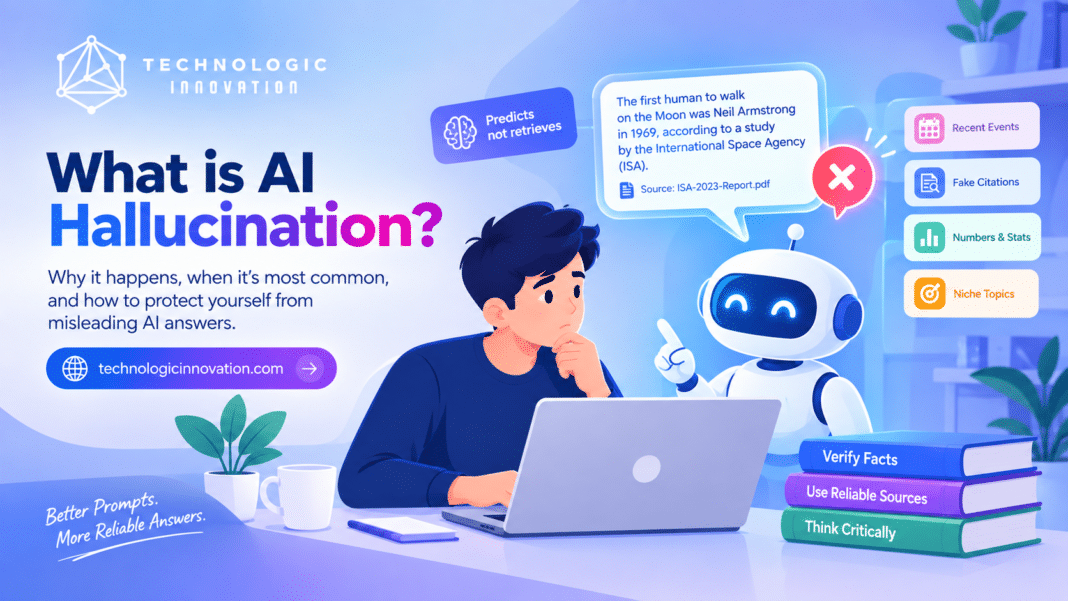
- Why AI Chatbots Hallucinate: The Simple Explanation
- How to Write Better ChatGPT Prompts (A Simple Guide)
FAQs
Q:01. Which AI note-taking app is best for capturing lectures? Otter.ai specializes specifically in real-time transcription, making it the strongest choice for capturing spoken lectures accurately as they happen.
Q:02. Do I need a paid subscription for these AI note-taking apps? Most offer functional free tiers, though features like extended transcription minutes or advanced AI summarization are often reserved for paid plans.
Q:03. Is it okay to record lectures using transcription apps? This depends on your school’s specific policy, so checking with your institution or professor before recording lectures is important rather than assuming it’s automatically permitted.
Q:04. Can AI note-taking apps replace studying from the notes myself? No, AI summaries and organization are meant to support your studying, not replace actively reviewing and engaging with the material yourself.
Q:05. Which app is best if I already use Notion or Microsoft tools? Using the AI features built into a tool you already have, Notion AI or OneNote with Copilot, usually requires less setup than adopting an entirely new platform.