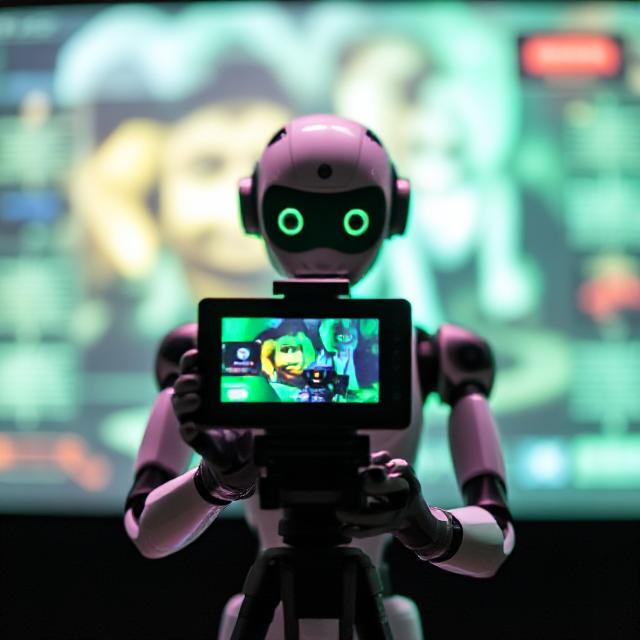
AI-powered video editing is changing the way content is created in 2025. From automated cutting to voiceovers and scene generation, artificial intelligence is making it easier than ever for creators to produce high-quality videos without spending hours behind a screen. This guide explores how AI tools are empowering content creators with speed, creativity, and efficiency.
What Is AI-Powered Video Editing?
AI-powered video editing involves using artificial intelligence algorithms to automate various tasks such as cutting, cropping, audio syncing, subtitle generation, and even content suggestions. These tools are designed to mimic human decision-making, helping editors save time and maintain consistency across their videos.
Why Content Creators Need AI Editing Tools in 2025
In today’s fast-paced content world, creators need to publish regularly without compromising quality. AI tools reduce repetitive tasks and enhance creative workflows. Whether you’re a YouTuber, educator, marketer, or social media influencer, AI editors help you stay competitive with smarter, faster video production.
Top Features of AI Video Editors for Creators
AI editing tools offer a range of features such as auto-trimming, background noise removal, smart transitions, real-time effects, facial recognition, and more. Some tools even analyze audience behavior and suggest content improvements based on performance data.
Best AI Video Editing Tools for Creators in 2025
Several tools stand out for content creators this year:
- Runway ML – Real-time editing, text-based commands, object removal
- Pictory – Converts scripts or blogs into engaging videos
- Descript – Edit by editing the transcript, overdub voiceovers
- Lumen5 – Blog-to-video with automated visuals and branding
- Wisecut – Auto-remove silences, add music, create subtitles
Each tool offers different strengths, so creators can choose based on their style and platform.
How AI Enhances Creativity and Productivity
AI doesn’t replace creativity—it enhances it. By handling time-consuming editing tasks, creators have more freedom to focus on storytelling, visuals, and audience connection. Plus, AI tools help creators repurpose content into different formats like Reels, Shorts, and Stories.
Using AI for Short-Form vs. Long-Form Video Content
AI tools are ideal for both short-form and long-form video content. For short videos like TikToks or YouTube Shorts, tools like Pictory or Lumen5 help quickly create highlights. For long-form podcasts or tutorials, Descript or Runway ML provides full control with automation features.
Tips to Get the Most Out of AI Video Editing Tools
- Choose a tool that matches your content goals
- Learn the interface through tutorials or demos
- Use AI suggestions but customize for your brand
- Regularly review performance data to improve output
- Combine multiple AI tools for a full workflow
Limitations and Ethical Considerations
While AI tools are powerful, they’re not perfect. Over-reliance can lead to generic content. Creators should always review outputs for quality and accuracy. Also, be mindful of copyright when using AI-generated media or voices.
Related Reading.
- 2025’s Hottest AI Products to Promote as an Affiliate.
- Make Money Promoting AI Tools Like ChatGPT and Jasper.
- Best AI Tools to Promote for Affiliate Income in 2025.
Conclusion
AI-powered video editing is a game-changer for content creators in 2025. It offers speed, scalability, and smart features that allow you to create better content faster. By integrating the right tools into your workflow, you can boost productivity, stay consistent, and grow your audience more effectively than ever before.
FAQs
1. What is the best AI video editing tool for beginners?
Wisecut and Pictory are great for beginners due to their simple interfaces and automation.
2. Can I use AI to create videos from just text?
Yes, tools like Pictory and Lumen5 can turn text into fully edited videos.
3. Does AI video editing reduce quality?
No, it often improves quality by enhancing clarity, syncing audio, and removing silences efficiently.
4. Can AI help with subtitles and translations?
Absolutely. Most tools offer auto-captioning and even multilingual support for global content.
5. Are AI video editors suitable for monetized content?
Yes, many creators use AI-edited videos on monetized platforms like YouTube, as long as the content is original and follows platform rules.
6. Is AI editing expensive?
Many tools offer free or affordable plans, making them accessible even for small creators or startups.
7. Can I use AI tools on mobile devices?
Some AI editors like Lumen5 and Wisecut offer mobile compatibility or dedicated apps.
8. How does AI save time in editing?
It automates repetitive tasks like trimming, syncing, and subtitling—cutting editing time by up to 80%.
9. Do I need editing skills to use AI tools?
No. Most AI tools are designed for non-editors with drag-and-drop or text-based commands.
10. What’s the future of AI in content creation?
AI will continue evolving toward fully generative videos, personalized content, and real-time collaboration—changing how creators produce and scale their content.