
Introduction
Editing videos on a low-end PC can feel impossible.
Lag, crashes, slow rendering—it’s frustrating. But here’s the truth: you don’t need a high-end computer to create good videos.
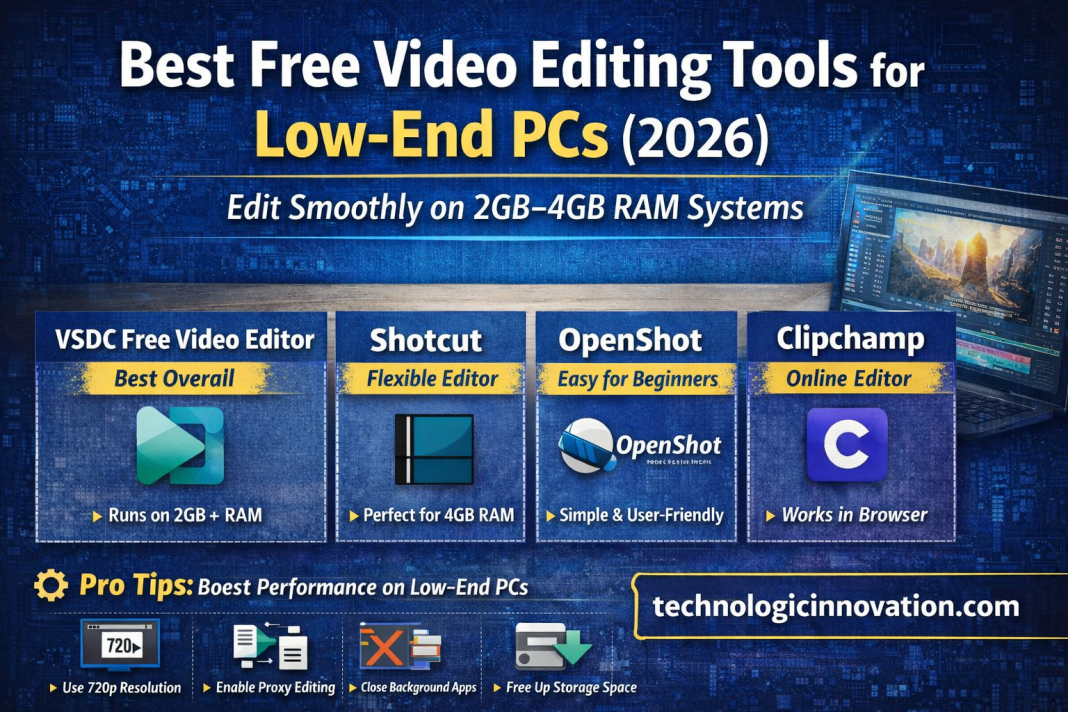
With the right free video editing tools for low-end PCs, you can edit smoothly even on 2GB–4GB RAM systems.
In this detailed guide, you’ll discover the best lightweight video editors, real performance tips, and how to get professional results without upgrading your PC.
What to Look for in Video Editing Software for Low-End PCs
Before downloading any editor, understand what actually matters.
Key Features You Need
- Low RAM usage (2GB–8GB)
- Lightweight installation size
- No heavy GPU dependency
- Smooth preview playback
- Proxy editing support
These features ensure your system doesn’t freeze during editing.
Top Free Video Editing Tools for Low-End PCs
1. VSDC Free Video Editor – Best Overall Performance
If you want power without lag, this is your best option.
Why It’s Perfect
- Runs on low RAM PCs (2GB+)
- Doesn’t require a strong GPU
- Supports advanced editing features
- Lightweight and stable
Best Use Cases
- YouTube videos
- School projects
- Social media content
It’s one of the few tools that balances performance and features perfectly.
2. Shotcut – Best Flexible Editor
Shotcut is popular among users with older laptops.
Key Benefits
- Open-source and free
- Works well on 4GB RAM systems
- Supports multiple formats
- Customizable interface
Performance Tip
Lower preview resolution for smoother editing.
3. OpenShot – Best for Beginners
If you’re just starting, OpenShot is simple and user-friendly.
Why Beginners Love It
- Drag-and-drop editing
- Easy timeline controls
- Basic transitions and effects
Limitations
- Not ideal for heavy editing
- Can lag on complex projects
4. Kdenlive – Best for Advanced Users
Want more control? Kdenlive offers pro-level features.
Highlights
- Multi-track editing
- Proxy editing support
- Custom effects
Keep in Mind
- Needs optimization for smooth performance
- Slight learning curve
5. LosslessCut – Best Lightweight Tool
This is the lightest editor available.
Why It’s Unique
- Ultra-fast performance
- No re-encoding
- Minimal CPU usage
Best For
- Trimming videos
- Quick edits
- Low-spec systems
6. Clipchamp – Best Online Editor
Don’t want to install software?
Benefits
- Works in browser
- Beginner-friendly
- No heavy system usage
Downsides
- Requires stable internet
- Limited advanced tools
Real-World Example
A beginner YouTuber with a 4GB RAM laptop struggled with lag.
He switched to:
- Shotcut
- Reduced preview resolution
- Closed background apps
Result: Smooth editing and faster exports.
Pro Tips to Speed Up Video Editing on Low-End PCs
Even the best software needs optimization.
Follow These Tips
- Use 720p resolution instead of 4K
- Enable proxy editing
- Close unnecessary apps
- Avoid heavy effects
- Keep storage space free
These small changes make a huge difference.
Common Mistakes to Avoid
- Installing heavy tools like Adobe Premiere Pro
- Editing 4K videos on low RAM
- Using too many effects
- Ignoring system optimization
Comparison Table
| Tool | RAM Needed | Best For | Difficulty |
|---|---|---|---|
| VSDC | 2GB+ | Overall editing | Medium |
| Shotcut | 4GB+ | Flexible editing | Medium |
| OpenShot | 4GB+ | Beginners | Easy |
| Kdenlive | 4–8GB | Advanced users | Hard |
| LosslessCut | 2GB+ | Quick edits | Very Easy |
| Clipchamp | Any | Online editing | Easy |
FAQs
Q: 01 – Which is the best free video editor for low-end PCs?
The best option is VSDC Free Video Editor because it offers powerful features while running smoothly on low RAM systems.
Q: 02 – Can I edit videos on a 2GB RAM PC?
Yes, but only with lightweight tools like LosslessCut or VSDC. Avoid heavy effects for better performance.
Q: 03 – Is Shotcut good for low-end PCs?
Yes, Shotcut works well on 4GB RAM PCs, especially if you reduce preview quality.
Q: 04 – Which video editor is easiest for beginners?
OpenShot and Clipchamp are the easiest tools with simple interfaces and drag-and-drop features.
Q: 05 – Why does video editing lag on low-end PCs?
Lag happens due to low RAM, weak CPU, heavy effects, or high-resolution files like 4K videos.
Q: 06 – Can I edit YouTube videos on a low-end PC?
Yes. Many YouTubers use tools like Shotcut and VSDC to create videos without expensive hardware.
Q: 07 – What settings improve performance the most?
- Lower preview resolution
- Use proxy files
- Close background apps
Related Reading
- Lumen5 Review 2025: Best AI Video Tool for SMBs or Just Hype?
- Boost Your Marketing Strategy with These Powerful AI Video Tools.
- Top 10 AI Video Editing Tools You Must Try in 2025.
Conclusion
You don’t need an expensive setup to edit videos.
With the right free video editing tools for low-end PCs, you can create high-quality content without lag.
- Start with VSDC for performance
- Try Shotcut for flexibility
- Use OpenShot if you’re a beginner
The secret isn’t your PC—it’s how you use it.