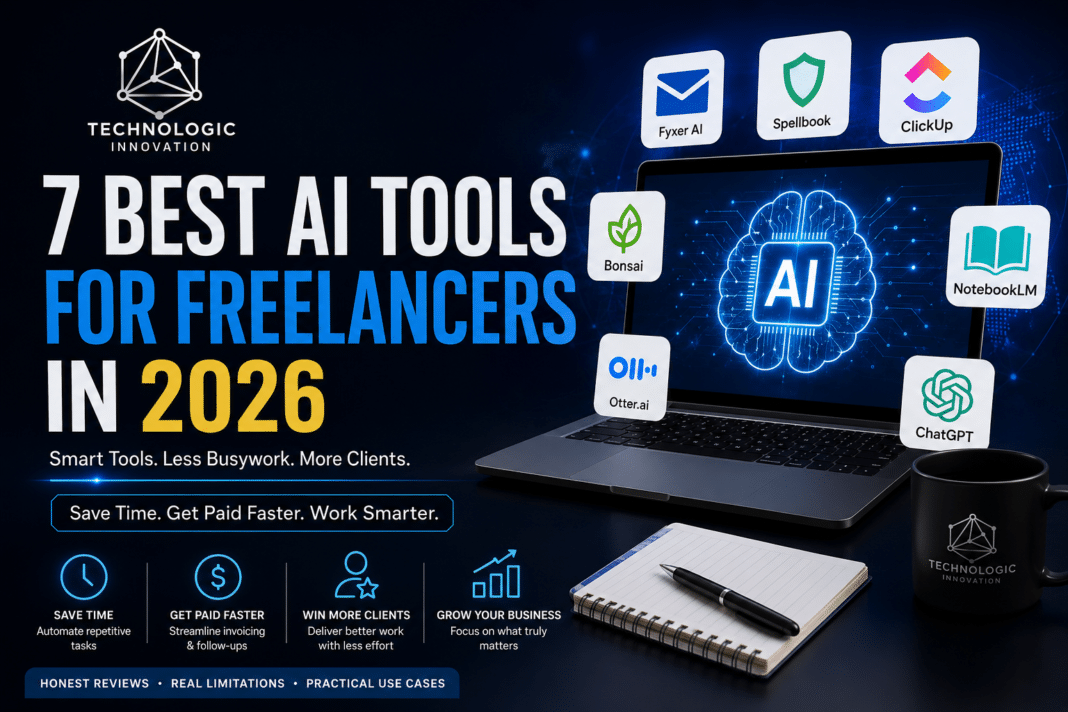

Most “best AI tools” lists read the same way: a screenshot, a one-line description, and a vague promise that it will “revolutionize your workflow.” Few of them tell you what these tools are bad at, what they cost after the free trial runs out, or which ones freelancers quietly stop using after week two.
Freelancing in 2026 comes with more competition and thinner margins than it did even two years ago. Clients expect faster turnarounds, communication has moved almost entirely to chat and email, and the freelancers who are winning more work are usually not the most talented ones — they’re the ones who’ve quietly automated the boring 20% of the job so they can spend more hours on the paid work itself. AI productivity tools have become a real part of that shift, but the market is crowded with tools that look impressive in a five-minute demo and fall apart the moment they meet a messy, real-world workflow: a client who emails in three different tones, an invoice that needs a currency conversion, a contract with a clause buried on page nine.
The tools in this list were chosen with that reality in mind. None of them promise to run your entire freelance business on autopilot, and that’s the point the ones that make that promise are usually the ones you stop using within a month. Instead, each tool here solves one specific, recurring pain point that eats real hours out of a freelancer’s week: chasing late payments, drafting repetitive emails, scoping a vague client brief, or sitting through a discovery call while trying to take notes at the same time. Where a tool has a real limitation, it’s listed honestly, so you’re not left discovering it the hard way after you’ve already built a workflow around it.
If you’re a freelancer, consultant, or small independent team trying to figure out which AI tools are actually worth your time and money in 2026, this is a practical starting point rather than a hype-driven wish list.
1. Client Communication: Fyxer AI
Freelancers lose hours every week writing the same three types of emails: status updates, scope clarifications, and polite chasing for late payments. Fyxer AI reads your inbox context and drafts replies that match your usual tone instead of sounding like a generic template.
Where it falls short: it struggles with nuanced negotiation emails anything involving pricing pushback still needs a human hand.
Realistic time saved: roughly 20–30 minutes a day for anyone managing 5+ active clients.
2. Contract Review: Spellbook
Before signing any client contract, Spellbook flags unusual clauses payment terms buried in paragraph nine, IP ownership language that’s more aggressive than standard, or missing kill-fee clauses. It’s built for lawyers, but freelancers who take on retainer work use it as a first-pass filter before paying an actual lawyer to look at anything serious.
Where it falls short: it’s not a replacement for legal advice on six-figure contracts. Treat it as a smoke detector, not a fire extinguisher.
3. Project Scoping: ClickUp’s AI features
Scope creep is the single biggest profit killer for freelancers. ClickUp’s built-in AI can turn a messy client brief into a structured task list with time estimates, which makes it much easier to spot and price extra requests before they eat into your margin.
Realistic use case: a freelance designer taking a two-paragraph client brief and turning it into a milestone-based project plan in under five minutes, instead of the usual 30–40 minutes of manual planning.
4. Invoicing and Late Payment Follow-Up: Bonsai
Bonsai automates the awkward part of freelancing chasing money. It sends automatic reminders before and after due dates, and its AI-assisted invoice descriptions reduce the back-and-forth clients often have about what exactly they’re being billed for.
Where it falls short: currency conversion and tax handling outside the US/UK/EU is still clunky.
5. Research Summarization: NotebookLM
For freelance writers and consultants, NotebookLM (Google’s tool) is genuinely different from a general chatbot: you upload your own source documents client reports, PDFs, transcripts and it only answers from those sources, with citations back to the exact page. This matters because generic AI chat tools often blend real information with confident-sounding guesses.
Realistic use case: summarizing a 40-page industry report into a client-ready brief in 15 minutes instead of 2 hours.
6. Voice-to-Text for Meeting Notes: Otter.ai
For freelancers who do discovery calls, Otter.ai transcribes and summarizes client meetings in real time, then generates action items automatically. The real value isn’t the transcript it’s that you stop scrambling to write notes while trying to actually listen to the client.
7. Portfolio and Proposal Writing: Claude or ChatGPT (used correctly)
General AI chatbots are genuinely useful for one specific freelance task: turning your rough bullet points into a polished project proposal. The mistake most freelancers make is asking the AI to “write a proposal for a client” from scratch — this produces generic, forgettable copy. The better approach: write your own rough notes on what makes your specific solution right for this specific client, then ask the AI only to tighten the language, not invent the substance.
The Pattern Worth Noticing
None of these tools replace freelance judgment they remove the repetitive 20% of the job (drafting, formatting, chasing, summarizing) so more time goes into the 80% that actually requires a human: understanding what the client really needs and doing the work well.
If you’re evaluating a new AI tool for your freelance workflow, ask one question before signing up: does this save me time on something I already do every week, or does it just sound impressive in a demo? Most tools fail that test. The seven above don’t.
Conclusion
Freelancing in 2026 isn’t about adopting every AI tool that launches it’s about identifying the two or three that remove real friction from your specific workflow. Start with whichever pain point costs you the most hours each week, whether that’s email, invoicing, or meeting notes, and add one tool at a time. Stacking five new tools in a single week almost always leads to abandoning all of them within a month.
The freelancers who benefit most from AI aren’t the ones using the most tools they’re the ones who treat each tool as a narrow fix for one specific bottleneck, and keep the actual client relationship, judgment, and creative work firmly in their own hands.
Related Reading
- Best AI Tools for Freelancers 2026
- How to Make Money Online Using AI Tools (Beginner Guide 2026)
- 10 Best Free AI Tools for Students in Pakistan (Guide2026)
FAQs
Most offer a limited free tier. Otter.ai and NotebookLM have genuinely usable free plans for light workloads. Fyxer AI, Spellbook, and Bonsai are free to try but require a paid plan once you exceed a small usage limit — typically $10–$30/month per tool.
Start with whichever task eats the most unpaid hours. For most freelancers, that’s either email (Fyxer AI) or invoicing/follow-ups (Bonsai) — both have a fast setup and an immediate, measurable time save.
Not fully. They handle repetitive, well-defined tasks well — drafting, summarizing, reminders — but they can’t manage judgment calls, client relationships, or anything that requires real context a VA would build up over time.
Check your client contract first — some include confidentiality clauses that restrict uploading their material to third-party platforms. When in doubt, ask the client directly or use tools with clear enterprise-grade data policies.
Most work globally, but a few — particularly invoicing tools like Bonsai — have weaker support for currency conversion and local tax rules outside the US, UK, and EU. Always check regional support before committing to a paid plan.